This is by far our most requested feature since the early days of the app, and you can’t imagine how happy we are to finally be able to bring it to you.
Right from the start, users consistently asked for a lasso tool in their feedback on Endless Paper. And to be honest, we always considered the lasso an integral part of the overall spatial organization concept, especially on an infinite canvas. In fact, work on the lasso tool began even before the app was released, always high on our priority list. And today, it becomes a reality.
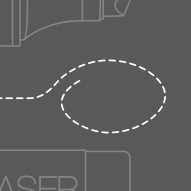
By now you’ve probably already tried it. As you must have seen, you can select any part of your canvas and move, resize, or rotate it freely. And it works with everything: strokes, imported assets, and even bookmarks can all be selected and reorganized. You can also duplicate selections to quickly build structured layouts without starting from scratch, keeping your canvas coherent and visually consistent. Another very useful option is "Clear", which turns your lasso into a super eraser and lets you erase precise areas of your canvas in just a few taps.
The result is a more cohesive note structure where ideas can be iterated on rather than rewritten. We tried our best to stay true to the philosophy of the app and make this feature as simple, intuitive, and easy to use as possible.
But the lasso tool goes far beyond simple editing: create templates once and reuse them anywhere on your canvas with bookmarks, build grids and patterns in a few seconds with recursive duplication, even creating infinite spirals becomes surprisingly quick! One of my favorite tricks is using recursive duplication to create mandalas. Simply rotate the original selection, reset its size, and duplicate it around a circle. I find it really relaxing, and oddly satisfying to watch as the pattern grows.
This tool is the result of a lot of work from our entire team, as well as valuable feedback from all of you. Behind the scenes, implementing nearly every aspect of this feature required new technology to be built from scratch. And as is often the case, developing one technology meant several others had to be built first. A true brain teaser for our developers! A lot of thought also went into the design, and for that the whole team was on deck. Our goal was to keep the tool effortless and straightforward today, while making sure the interface could grow naturally with the improvements we already have in mind for the future.
 For example:
It felt obvious from a design perspective that you should be able to move and transform your selection directly with your fingers, just like you would with assets. But in practice, moving a selection requires a lot of processing power from your device. To keep the experience smooth, the dev team created a system that temporarily displays a lightweight visual version of your selection while you move it. The actual content only moves after the change has been confirmed.
Back to the design side, this meant that the lasso tool had to be transactional, with a button to apply the changes. But how could we keep your workflow running smoothly if we had to incorporate a separate interface for each selection? How could we reduce the number of interactions needed to a minimum? We worked relentlessly to find the perfect position for each button, and the right color for every element, so that the whole process would feel as smooth and natural as possible for everyone.
Designing the lasso tool meant thinking about dozens of these considerations, where every small detail required careful planning and decisions. We really wanted to make sure everything stayed easy on the surface, even when the technology underneath was anything but simple.
I think I can speak for the whole team when I say we hope you enjoy this feature. I know how much you’ve longed for it, mostly because we’ve longed for it, perhaps even more than you have. But let’s not get sidetracked, I’m sure the majority of you have already left this page to try out those more advanced uses of the lasso for themselves by now, so have fun!